
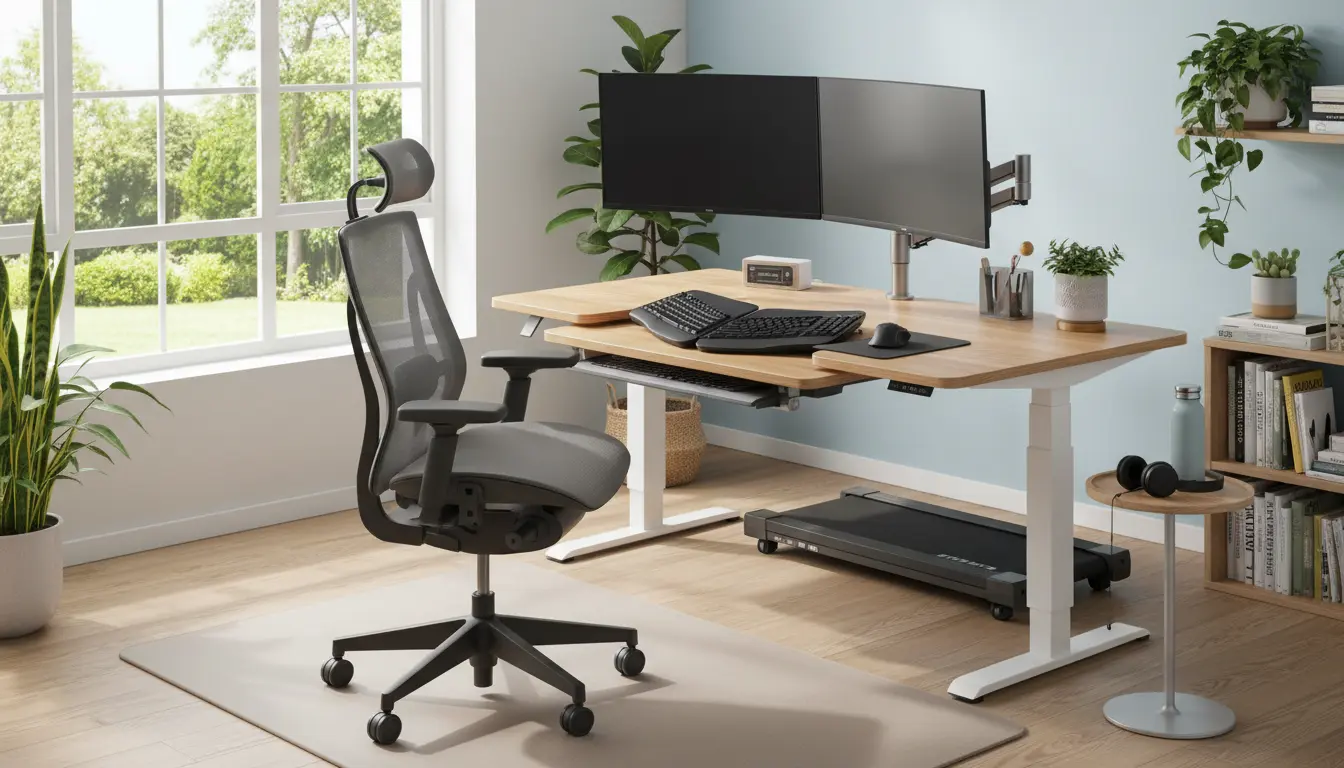
Why Home Office Ergonomics Matters
Good home office ergonomics reduces strain and supports long hours of focused work. Small changes to your chair, desk, and monitor can prevent pain and boost productivity.
Applying ergonomic principles helps maintain posture, reduce fatigue, and lower the risk of repetitive strain injuries. This guide gives practical steps you can implement today.
Home Office Ergonomics: Quick Principles
Ergonomics is about fitting the workspace to the person, not forcing the person to adapt. Prioritize neutral body positions, frequent movement, and good lighting.
Focus on the five core areas: seating, desk height, monitor placement, input devices, and movement. Adjust each area to keep your head, neck, and spine aligned.
Core Areas for Home Office Ergonomics
- Seating: support for lower back and thighs parallel to the floor
- Desk: correct height for forearms and wrists
- Monitor: top of screen at or slightly below eye level
- Input devices: keyboard and mouse close to the body
- Movement: stand, stretch, and walk regularly
Adjusting Your Chair for Better Ergonomics
Your chair is the foundation of home office ergonomics. A good chair keeps your spine supported while allowing natural movement.
Set seat height so your feet rest flat on the floor and knees are at roughly a 90-degree angle. If your feet do not reach the floor, add a footrest.
Chair Checklist
- Seat height: feet flat, thighs parallel to the floor
- Lumbar support: lower back should be supported
- Seat depth: 2–4 inches between edge of seat and back of knees
- Armrests: allow shoulders to relax and elbows to rest lightly
Desk and Monitor Setup for Home Office Ergonomics
Your desk and monitor affect neck and eye strain. Position the top of the monitor at or slightly below eye level to keep the neck neutral.
If you use a laptop most of the day, invest in a laptop stand and external keyboard. This separates screen height from typing height for a healthier setup.
Monitor and Desk Tips
- Distance: sit about an arm’s length from the screen
- Height: top of screen at eye level or 1–2 inches below
- Glare: position monitor perpendicular to windows to reduce reflections
- Standing desks: alternate sitting and standing in 30–60 minute intervals
Keyboard, Mouse, and Input Devices
Input devices drive wrist and forearm posture. Keep the keyboard and mouse close and at a height that allows your wrists to stay straight.
Consider ergonomic keyboards or vertical mice if you experience wrist pain. Keep frequently used items within easy reach.
Input Device Guidelines
- Keyboard: flat or slightly negative tilt to keep wrists neutral
- Mouse: placed at the same height as the keyboard
- Alternate hands for repetitive tasks when possible
Lighting, Screen Time, and Visual Ergonomics
Proper lighting reduces eye strain and headaches. Use a mix of ambient and task lighting and avoid harsh overhead lights that create glare.
Follow the 20-20-20 rule: every 20 minutes, look at something 20 feet away for 20 seconds. This simple habit relieves eye fatigue.
Movement and Work Habits
Movement is a critical part of home office ergonomics. Sitting for long periods undermines good posture and circulation.
Use these practical habits to incorporate movement into your day.
- Set a timer to stand or walk for 3–5 minutes every 30–60 minutes
- Do simple stretches for shoulders, neck, and hips during breaks
- Alternate sitting and standing if you have a height-adjustable desk
Regular microbreaks of one to two minutes every 20–30 minutes can reduce discomfort and improve concentration. These breaks are more effective than a single long break.
Practical Checklist for Home Office Ergonomics
Use this quick checklist to audit and improve your workspace. Tackle one item each week to avoid feeling overwhelmed.
- Adjust chair height and lumbar support
- Raise monitor to eye level with a stand or books
- Place keyboard and mouse close to the body
- Ensure good lighting and reduce screen glare
- Set movement reminders and practice the 20-20-20 rule
Small Case Study: Real Change, Real Results
Sarah is a freelance graphic designer who worked from a laptop on her couch. She reported neck pain and afternoon headaches after long sessions.
Sarah switched to a proper chair with lumbar support, raised her laptop on a stand, and added an external keyboard and mouse. She also set a timer to stand every 40 minutes.
After three weeks, Sarah reported reduced neck pain, fewer headaches, and improved focus. The simple ergonomic changes made sustained work more comfortable.
Examples of Low-Cost Ergonomic Improvements
You do not need expensive equipment to improve ergonomics. Small items can deliver a big impact.
- Use a stack of books as a temporary monitor riser
- Place a small pillow for lumbar support if your chair lacks it
- Use an external keyboard and mouse with a laptop stand
- Buy an inexpensive footrest for better leg support
Final Notes on Home Office Ergonomics
Ergonomics is an ongoing process, not a one-time fix. Reassess your setup whenever you change work habits or equipment.
Start with small adjustments and measure how your body feels. Over time, consistent attention to ergonomics will reduce pain and improve your work performance.